Git and GitHub Fundamentals
I am a dedicated and skilled Software Engineer specializing in mobile app development, backend systems, and creating secure APIs. With extensive experience in both SQL and NoSQL databases, I have a proven track record of delivering robust and scalable solutions.
Key Expertise:
Mobile App Development: I make high-quality apps for Android and iOS, ensuring they are easy to use and work well.
Backend Development: Skilled in designing and implementing backend systems using various frameworks and languages to support web and mobile applications.
Secure API Creation: Expertise in creating secure APIs, ensuring data integrity and protection across platforms.
Database Management: Experienced with SQL databases such as MySQL, and NoSQL databases like Firebase, managing data effectively and efficiently.
Technical Skills: Programming Languages: Java, Dart, Python, JavaScript, Kotlin, PHP
Frameworks: Angular, CodeIgniter, Flutter, Flask, Django
Database Systems: MySQL, Firebase
Cloud Platforms: AWS, Google Cloud Console
I love learning new things and taking on new challenges. I am always eager to work on projects that make a difference.
Here is the module
What is Git?
Git is a tool that helps you track changes in your code. It allows you to save different versions of your work and go back to them if needed.
What is GitHub?
GitHub is a website where you can store your Git projects online. It lets you share your code with others, collaborate with teammates, and manage your projects in one place.
Why do we need to use git and Github?
Version Control:
Git helps you track and manage changes to your code, so you can go back to previous versions if something goes wrong.
Collaboration:
GitHub allows multiple people to work on the same project at the same time without overwriting each other's work.
Backup and Sharing:
GitHub stores your code online, providing a backup and making it easy to share your projects with others or showcase your work
to get started
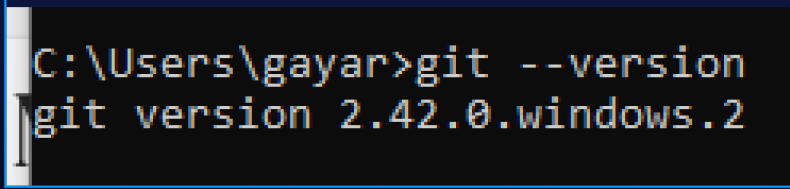
Check Git Version
git --version
Configuration
git config --global user.name "thirdygayares"
git config --global user.email "[email protected]"

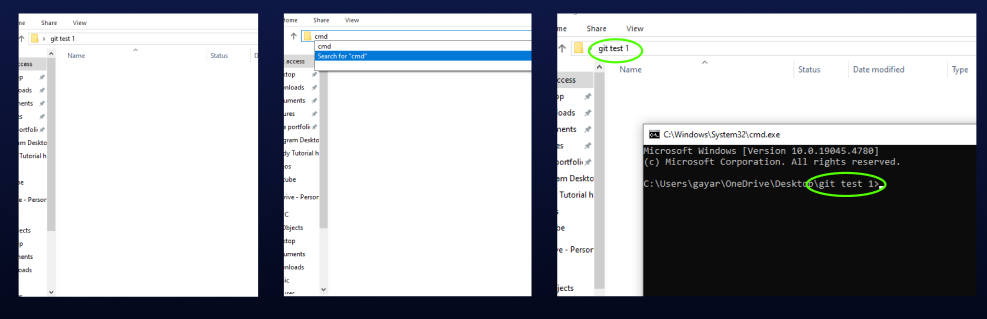
Create a folder and type cmd on a search bar
Git initialization
git init


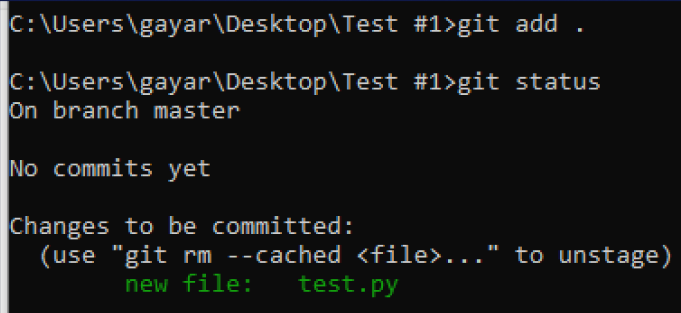
Git Add
git add .
Git Status
Git Commit
git commit

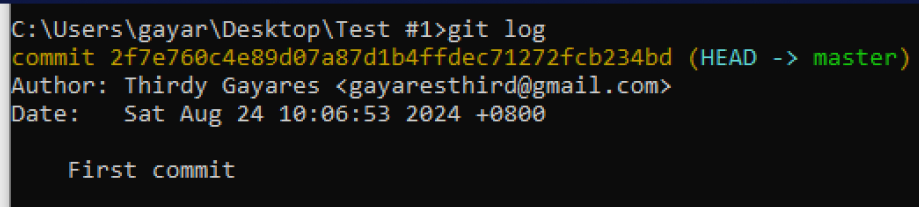
Git Log
git log
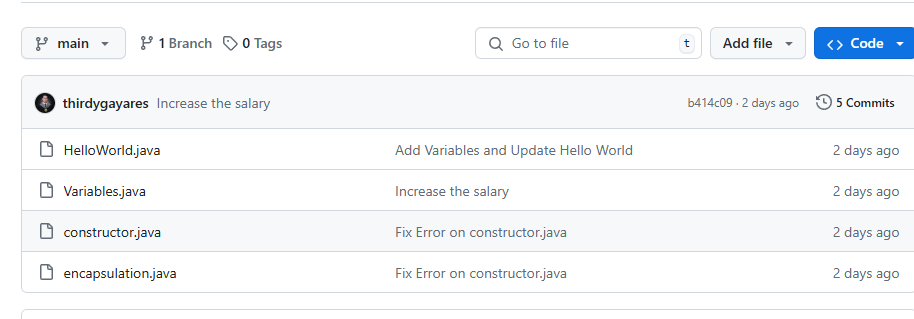
to push your code on GitHub follow these steps
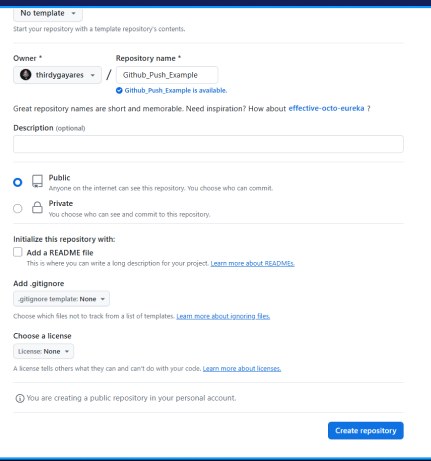
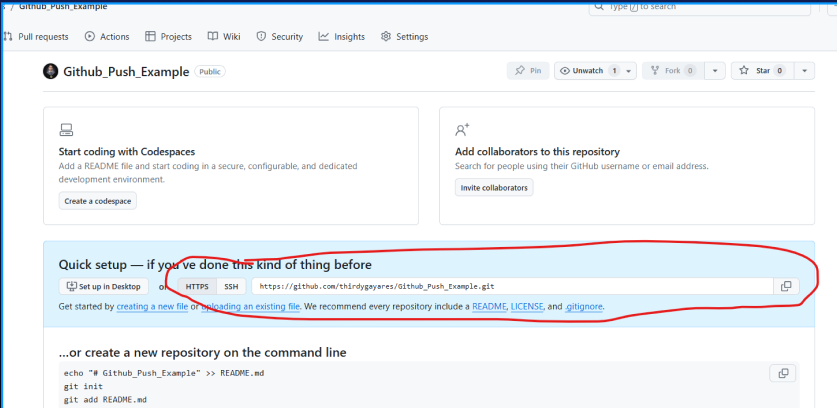
SET UP GITHUB
CREATE BRANCH
git brance -M main
ADD REMOTE
git remote add origin https://github.com/thirdygayares/Github_Push_Example.git

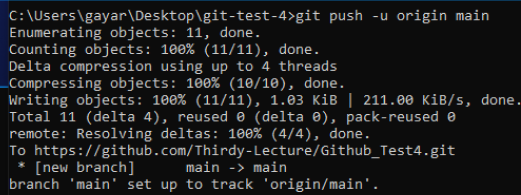
Git Push
git push -u origin main
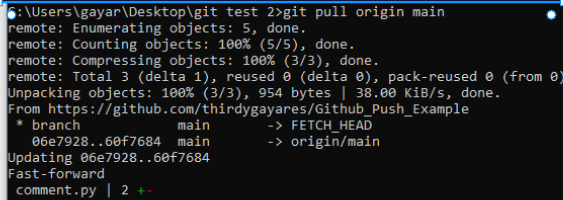
Git Pull
git pull origin main
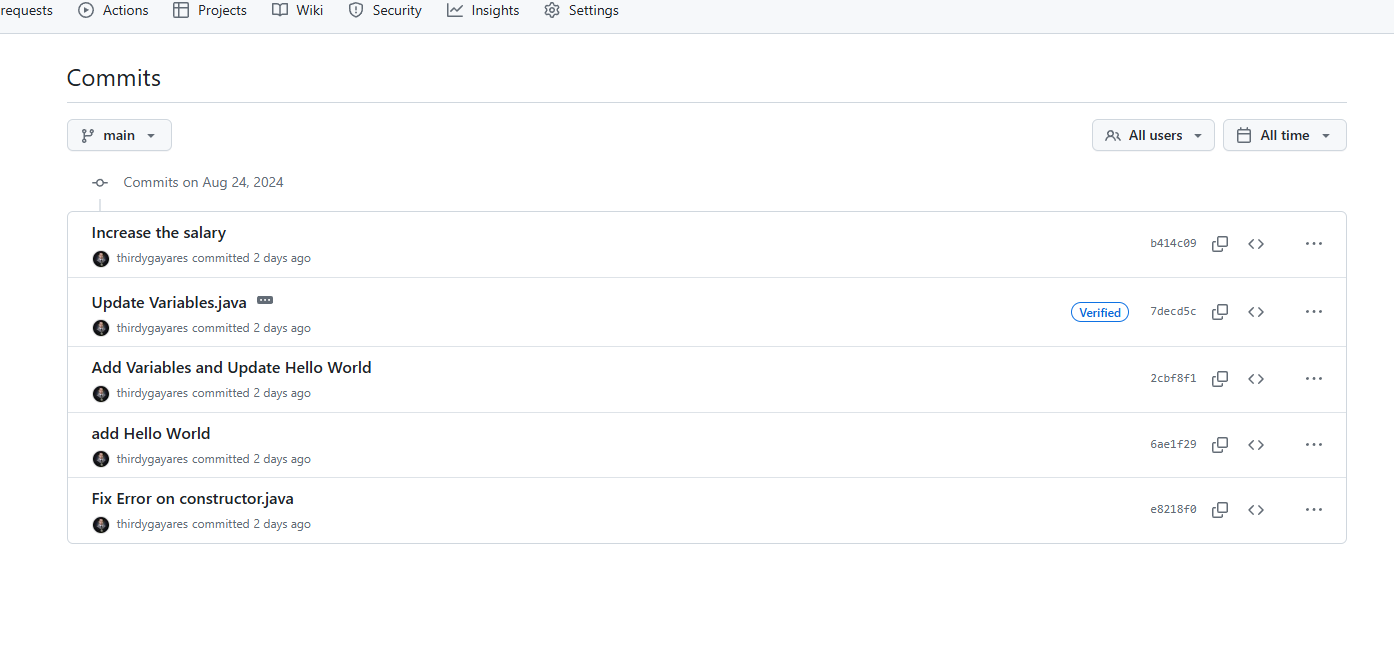
Check Github Commits